



|
Name |
Mobizen Screen Recorder |
|---|---|
|
Google Play Link |
GET IT ON
Google Play
|
|
Category |
Productivity |
|
Developer |
MOBIZEN |
| Last version | 3.10.17.5 |
|
Updated |
|
|
Compatible with |
Android 6.0+ |
Introduction to Mobizen Screen Recorder APK
Mobizen Screen Recorder is a mobile application designed for Android devices that allows users to capture everything happening on their screens. It falls into the utility tool category, focused on screen recording, video creation, and basic editing. The app is widely used by gamers, educators, and everyday users who want a simple way to save on-screen activity.
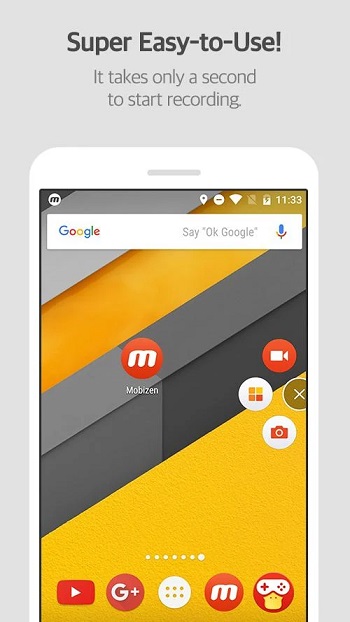
The main purpose of this app is to record videos directly from your phone screen with minimal setup. You can capture gameplay, tutorials, video calls, or app demonstrations in just a few taps. The interface is clean and easy to understand, so even first-time users can start recording without confusion. A floating control button gives quick access to recording tools while staying out of the way.
One of the key features is high-quality video recording. The app supports Full HD and even higher resolutions, along with smooth frame rates. This is especially helpful for mobile gamers who want clear and stable footage. The recordings are saved directly on the device, which gives users full control over their files and avoids cloud-related privacy concerns.
Another useful feature is the Facecam option. This allows users to record their front camera while capturing the screen at the same time. It’s a popular choice for reaction videos, commentary, and tutorials. Along with video, the app also records internal audio and microphone input, making it easier to create complete and engaging content without extra tools.
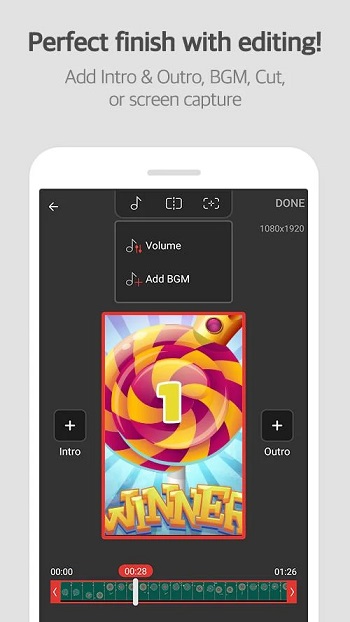
Mobizen also includes built-in editing tools. Users can trim clips, cut unnecessary parts, and make quick adjustments without leaving the app. There is even a drawing feature that lets you mark or highlight areas on the screen during recording. This is helpful for explaining steps in guides or pointing out important details.
There are clear advantages to using this app. It is lightweight, easy to use, and offers solid recording quality without requiring advanced skills. However, there are a few downsides. Some features may vary depending on the device, and long recordings can take up a lot of storage space. Also, certain advanced tools may feel limited compared to desktop software.
This app is suitable for a wide range of users. Students can record lessons, gamers can capture gameplay, and content creators can produce videos for social media. It works best in situations where quick recording and simple editing are needed without complicated setup.
FAQs Mobizen Screen Recorder
What is Mobizen Screen Recorder used for?
+
It is used to record your phone screen, including gameplay, tutorials, and app activity, with options for audio and facecam recording.
Is Mobizen Screen Recorder free to use?
+
Yes, the app offers a free version with basic features, though some advanced tools may require additional access or upgrades.
Does Mobizen Screen Recorder record internal audio?
+
Yes, it can record internal sound along with microphone input, depending on your device compatibility.
Can I edit videos inside Mobizen Screen Recorder?
+
Yes, it includes simple editing tools like trimming, cutting, and basic adjustments without needing another app.
Is Mobizen Screen Recorder good for gaming videos?
+
Yes, it supports high resolution and smooth frame rates, making it suitable for recording mobile gameplay clearly.
Discover More Interesting Apps
-
 Mod
Mod
Acode Pro
v1.13.5
13.00 Mb
Updated -
Mod
Claude AI
v1.260911.19
53.00 Mb
Updated -
Mod
Win-X Launcher
v32.1
46.00 Mb
Updated -
HotSchedules
v6.0.1
38.00 Mb
Updated -
Grok
v1.2.34-release.01
60.11 Mb
Updated -
Mod
Grok 3
v1.2.34-release.01
60.11 Mb
Updated -
Manus AI
v26.15.3
127.56 Mb
Updated -
VPN Unlimited
v9.6.10
54.47 Mb
Updated -
Mod
Todoist
vv12276
44.92 Mb
Updated -
DeepSeek
v2.5.1
17.75 Mb
Updated









Share Your Thoughts